Skip to content
Wissly
Product
WisslyAI for your company knowledgeOntologyConnect data meanings and business relationshipsWissly CodeAI coding on your own network
Pricing
Resources
CustomersInsightsUser guide (new tab)
EnterpriseAI Defense
English
한국어English (current language)
Start freeTalk to sales

Enterprise data at scale. Unified by one AI.

Bring documents, ERP, and groupware together for workflow automation and decision-making.

Talk to sales Download for Windows
Wissly product demonstration

Trusted by 50+ companies.

  • Hoban Construction
  • Techcross
  • Taeyoung E&C
  • Pulmuone
  • KAIST
  • STEMCO

Hundreds of thousands of internal records. General-purpose AI can't handle them.

Data is scattered across systems.

Information builds up separately in ERP, groupware, and file servers. There's no way to connect all of it to AI at once.

More data means less accurate answers.

General-purpose AI reads a few files well. But across hundreds of thousands of documents, it misses the information you need.

AI doesn't understand your company's language.

AI doesn't know your internal abbreviations, item codes, or approval rules. So its answers are off the mark or wrong.

Security requirements block AI adoption.

Internal data can't be sent to an external cloud. Even when good AI is available, you can't use it inside your company.

Turn what you find into work you can support.

Once you find what you need, check the source and turn it into a summary, comparison, or report draft.

Connect

Connect company data

Connect documents, NAS, ERP, and groupware. Each integration is scoped to your data structure and access permissions.

Ask

Find the information you need

Ask questions in natural language to find relevant information in your connected data.

Verify

Check the original sources

Review the sources and original passages alongside the answer.

Deliver

Draft work documents

Turn the information you have checked into summaries, comparison tables, and report drafts.
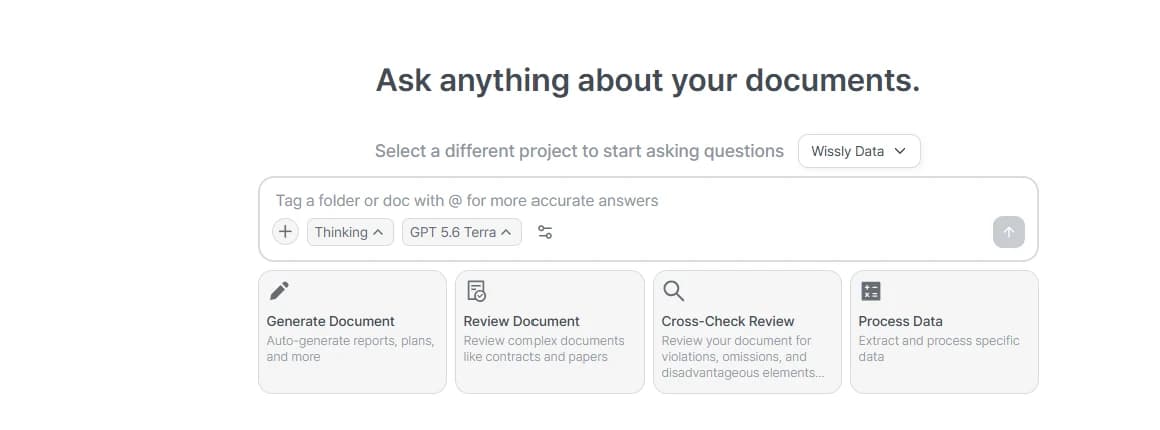
Wissly home screen for selecting documents and asking questions
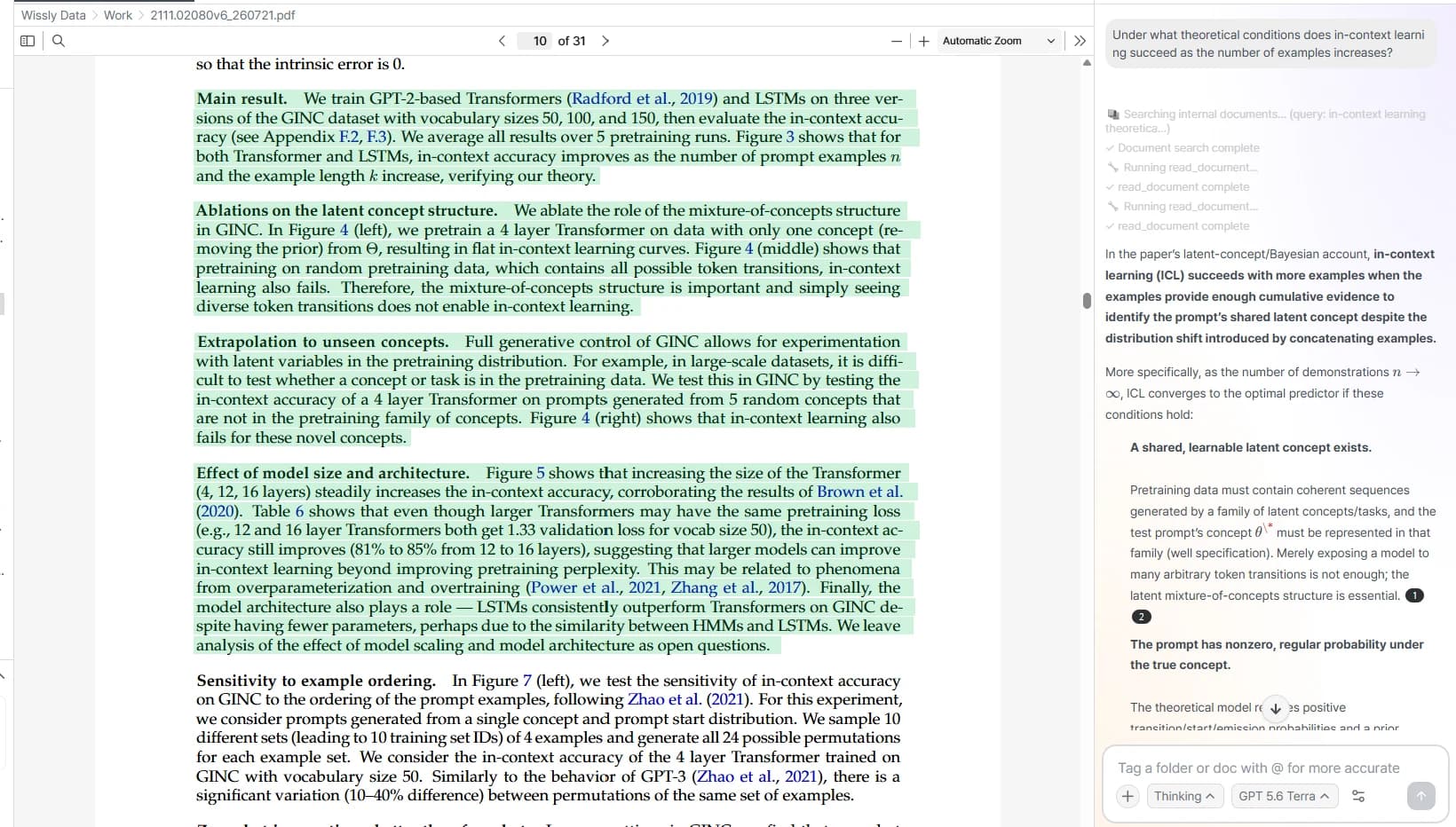
A Wissly answer alongside highlighted source evidence

Documents

Find it by meaning, not by filename.

Connect documents from your computer and shared folders. Ask your connected sources and check the original text, without picking files to upload for every question.

Illustrative example
Shared folder / Proposals
  • Service proposal.pdf
  • Maintenance guide.docx
  • Quotation.xlsx
Ask in your own words

What maintenance was included in our last proposal?

It includes a monthly inspection and fixes for issues encountered during operation.

Service proposal.pdf · page 12

Maintenance scope: one inspection per month and operational issue fixes

ERPCustom integration

Ask for the status you need. Skip the maze of menus.

Connect the records you work with, such as purchase orders and expected deliveries. Ask a question and review the results instead of collecting records across menus.

We scope the connected data, permissions, and update process to your company's systems.

Illustrative example
ERP
  • Purchase orders
  • Expected deliveries
  • Item records
Ask in your own words

Which purchase orders are due to arrive this week?

2 purchase orders are due to arrive.

Which purchase orders are due to arrive this week? (Illustrative example)
ItemExpected arrivalQuantity
Office monitorsPO-0921Sep 2512 units
Work laptopsPO-0922Sep 266 units

Source evidence: ERP / Purchasing / Purchase orders

GroupwareCustom integration

Find the guidance behind notices and approvals.

Connect the guidance in internal notices and approval documents. Find what you need to prepare before asking a colleague, and check the instructions behind each answer.

We scope the connected data, permissions, and update process to your company's systems.

Illustrative example
Internal noticeTravel expense guidelines
Approval formTravel expense form
Ask in your own words

What documents do I need for a travel expense claim?

An answer from connected sources

  • Complete the expense formApproval form / Travel expense form
  • Attach transport and hotel receiptsInternal notice / Travel expense guidelines
  • Include the purpose and datesApproval form / Travel expense form

How could this fit your work?

Connected data
Drawings, specifications, contracts, and schedules
Work product
A cross-check table with source locations

Example question

“Find conflicting material requirements across drawings and specifications, with sources.”

AI connected to real work

Explore customer projects in construction, manufacturing, and the public sector.

Hoban Construction and Wissly proof of concept
Hoban Construction · Construction

Validating document search and analysis in construction workflows

Hoban Construction and StepHow are validating document AI workflows across contracts, schedules, technical reviews, and reports.

Read the story
Techcross manufacturing AX proof of concept
Techcross · Manufacturing and maritime

Connecting engineering, quality, and process records for manufacturing AX

The PoC connected engineering documents, test reports, process records, and maintenance history for integrated search and analysis.

Read the story

Tallinn source-backed administrative search pilot
City of Tallinn, Estonia · Government

Source-backed search across public administration documents

The pilot tested administrative search that lets users verify answers against original policies and documents.

Read the story

On-premise AI that fits your environment.

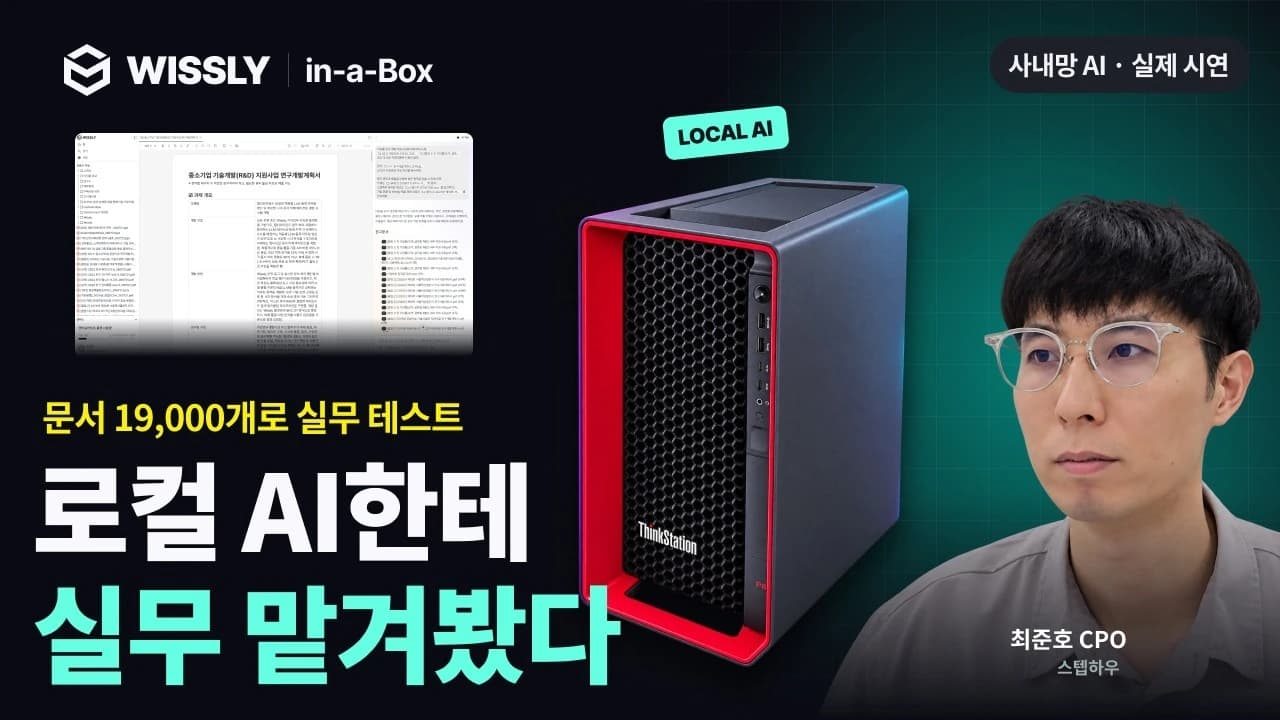
Choose an integrated AI appliance with Wissly or deploy on your existing infrastructure. We scope data connections and server configurations for enterprises and financial institutions with strict data security requirements.

Explore enterprise deployment Explore Wissly-in-a-Box

Enterprise data ontology

Connect your data to the way your business works.

How do equipment and work, products and orders, or teams and documents connect? An ontology defines shared meanings and relationships so you can explore data in the context of your business.

Explore ontology
How an ontology is used · conceptual illustration
  1. Source data
    • Documents and drawings
    • Business systems
    • Operational records and measurements
  2. Shared business model
    • Object meanings and properties
    • Relationships between objects
    • Shared terms and definitions
  3. Use connected information
    • Explore related data and evidence
    • Analyze status and dependencies
    • Give AI business context

Wissly Code

Code with AI, on your own network.

Ask Wissly Code to build a feature, fix a bug, or create a tool for your team. It writes and runs code using a local LLM on your internal server.

Explore Wissly Code
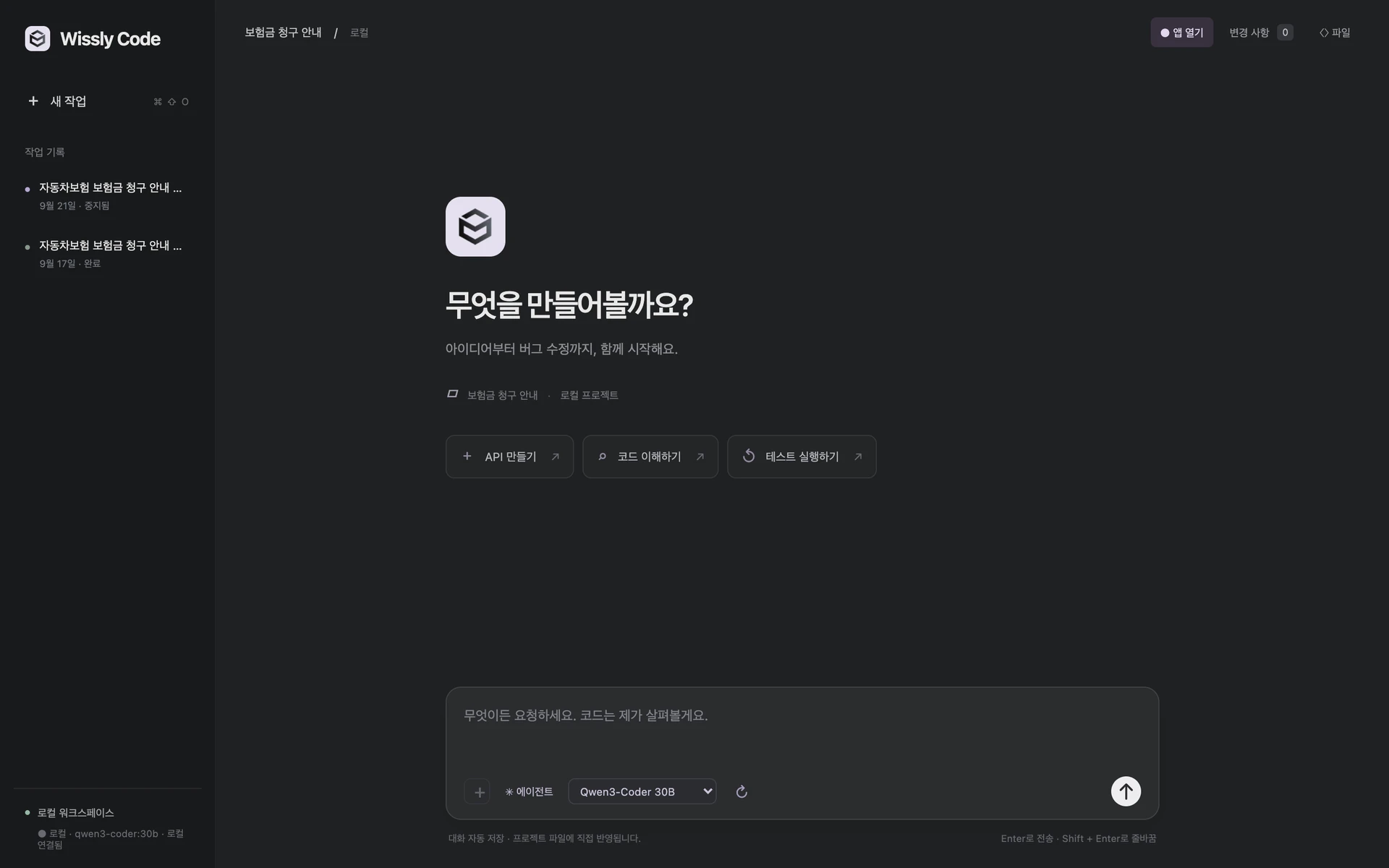
Wissly Code start screen with a local model, shown in Korean

Product interface shown in Korean.

For reports, applications, and work

AI Detection Defense

Rewrite AI drafts for reports, applications, and work. Reduce repetitive phrasing and awkward transitions, then compare the changes.

Try it

What to know before you begin

Ask another question
Can Wissly connect to our NAS, drives, and ERP?
Wissly supports folders, documents, NAS, and drive connections. ERP, groupware, and business SaaS integrations are scoped around your data and access model.
Can it handle very large document collections?
Pro supports up to 10,000 documents. Larger collections and organization-specific infrastructure are reviewed under Enterprise.
Does it handle scanned PDFs and tables?
Yes. OCR reads scanned and image PDFs so you can search and analyze document content, including tables. Recognition results depend on the quality and format of the original document.
How is this different from ChatGPT or Copilot?
When using AI through manual file uploads, you first need to find the right documents. Wissly connects complex shared folders and NAS so you can find relevant content and source evidence without knowing where files are stored. Organizations that cannot send documents outside their network can choose an on-premise deployment.
How is this different from Claude Code or Cowork?
Claude folder connections read and parse files on demand for each question, so they can only handle content within the context limit and the parsed results disappear when the session ends. Wissly parses, chunks, embeds, and indexes documents so every subsequent question can reuse the same index. This makes it possible to find relevant passages quickly and consistently across tens of thousands of documents, search by meaning even when keywords differ, and verify every answer with cited source documents. Above all, it is easy for non-technical office workers to use.
Is our data used to train AI models?
No. Your documents, questions, and answers are not used to train, retrain, or fine-tune AI models or for WISSLY's independent AI model improvement. Public Cloud/SaaS AI features use Amazon Bedrock or Google Cloud Vertex AI (Gemini), depending on the feature and selected model, while on-premise deployments use local AI within your network. Document indexing supports search; it is not model retraining.
Is on-premise deployment available?
Yes. Choose an integrated AI appliance with Wissly installed, or SI deployment on existing GPUs and servers. Installation, integration, and operating scope are reviewed during consultation.
Will I be charged automatically after a free trial?
No. You can try Wissly free without registering a payment card, and you will not be charged automatically afterward. You are only charged when you choose and pay for a paid plan yourself.

Start with your organization’s data environment.

We will help scope connections, deployment, and the material needed for security review.
Talk to sales Start free
Wissly

Connect company knowledge to the work it needs to support.

WisslyOntologyWissly CodeCustomersInsights
PricingEnterpriseTalk to sales
Download Wissly appUser guide (new tab)About ↗ (new tab)
AI Detection DefenseAI Detector

StepHow Global Inc.

131 Continental Dr Suite 305 Newark DE 19713

© 2026 Wissly
Privacy policyTerms of serviceCookie policy