
How Enterprise AI Unifies Local Folders, Slack, and Notion to Automate Document Creation
Unify local folders, Slack, and Notion in one enterprise AI workspace. Search scattered knowledge and generate PowerPoint drafts and Excel reports.

Turn scattered business knowledge into review-ready reports, presentation drafts, and Excel summaries.
Wissly connects approved information across local folders, shared drives, NAS environments, Slack, Notion, and email in one enterprise AI workspace.
Instead of switching between systems to find files, verify context, compare data, and rebuild reports, teams can search across connected business knowledge through a single natural-language prompt.
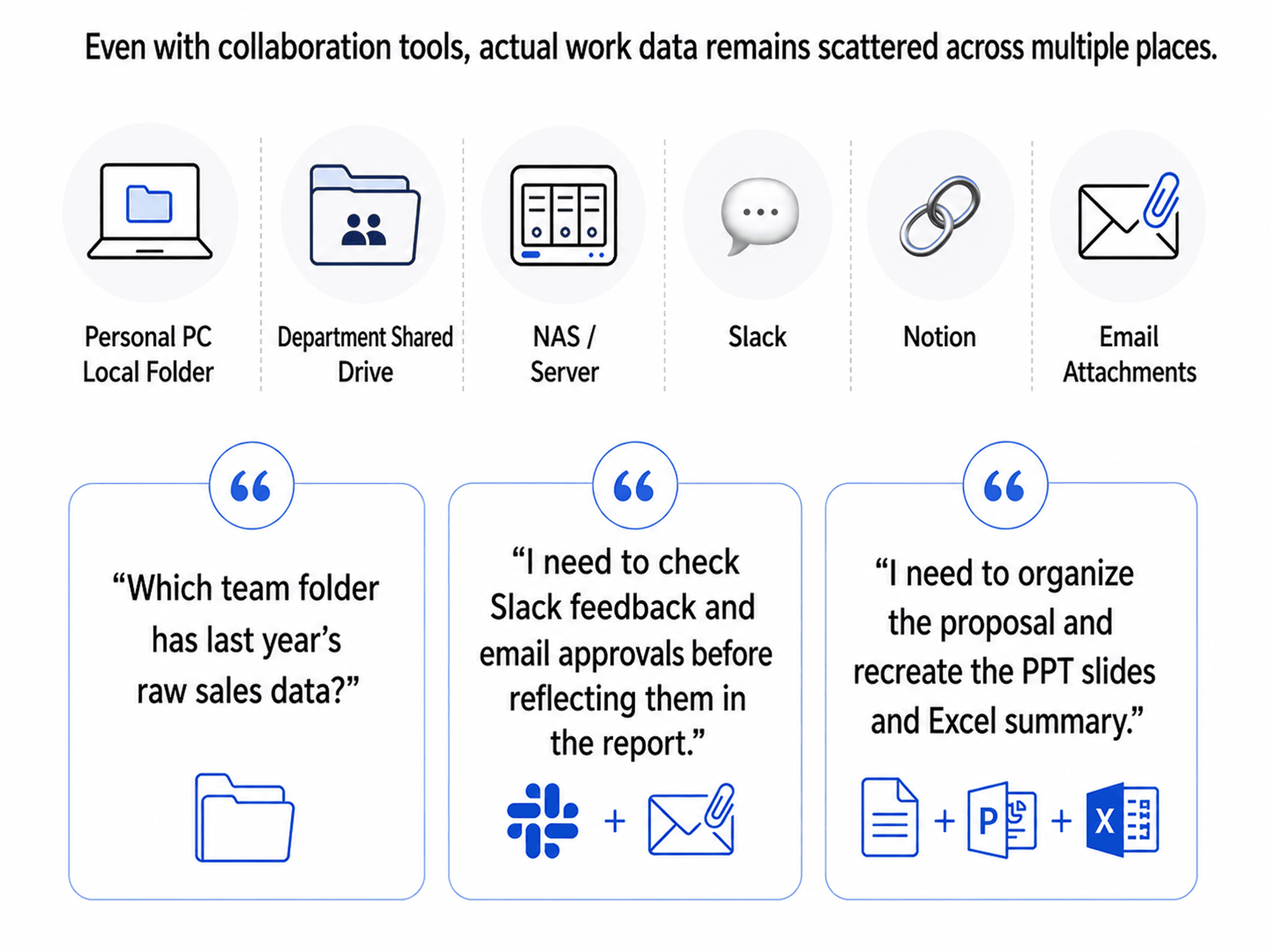
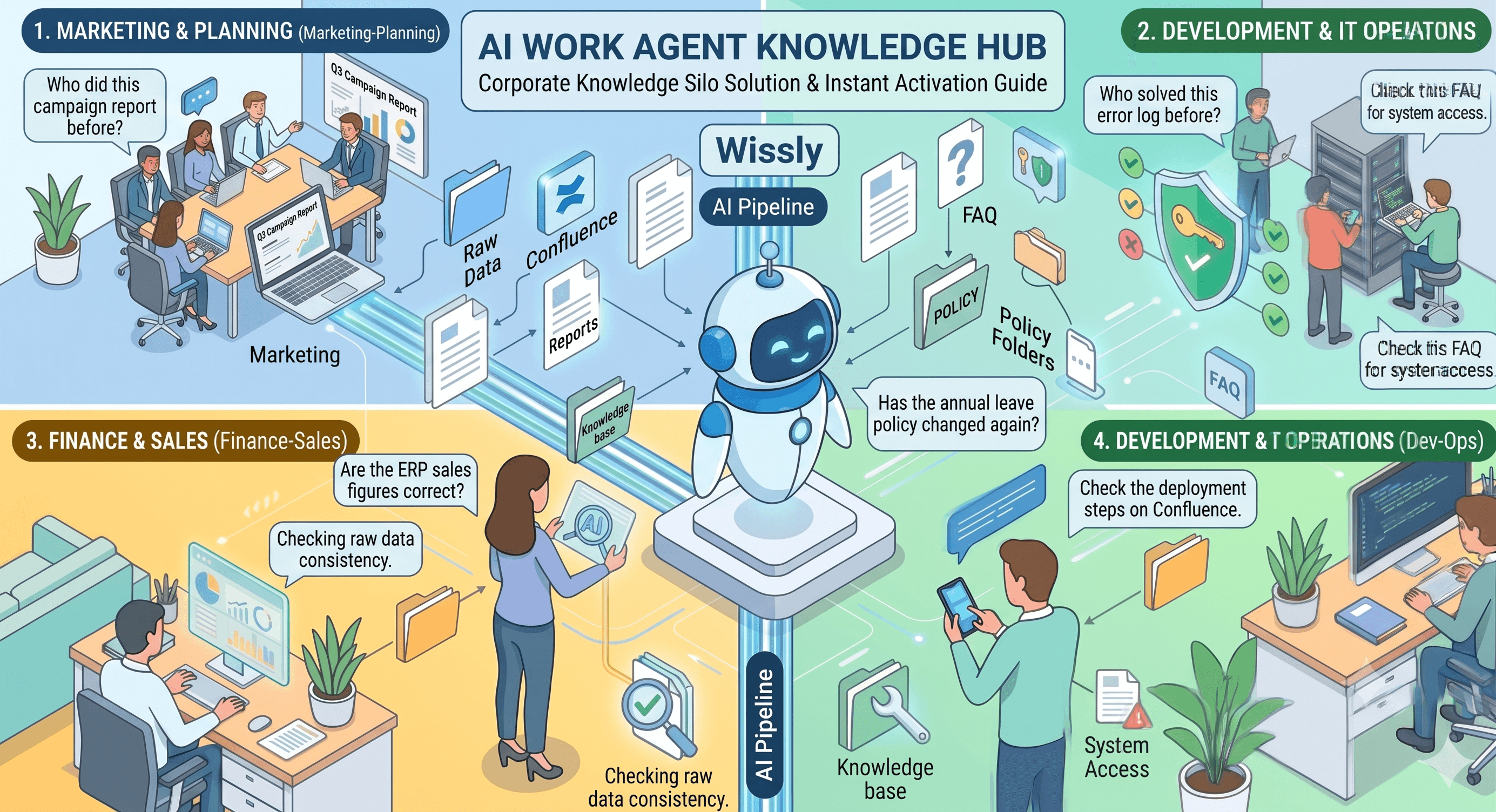
Most organizations already use collaboration tools such as Slack and Notion. But the information needed to make decisions is usually fragmented.
Past proposals may be stored in local folders. Financial data may live in Excel workbooks on a shared drive or NAS. Product requirements may be maintained in Notion, while customer feedback and approvals remain in Slack channels and email threads.
This creates knowledge silos in the workplace.
When a team member needs to prepare a report or presentation, they often have to search multiple tools, compare the latest files, cross-reference messages with spreadsheet data, and recreate the final output in Excel or PowerPoint.
The problem is not a lack of information. It is the time lost navigating disconnected sources.
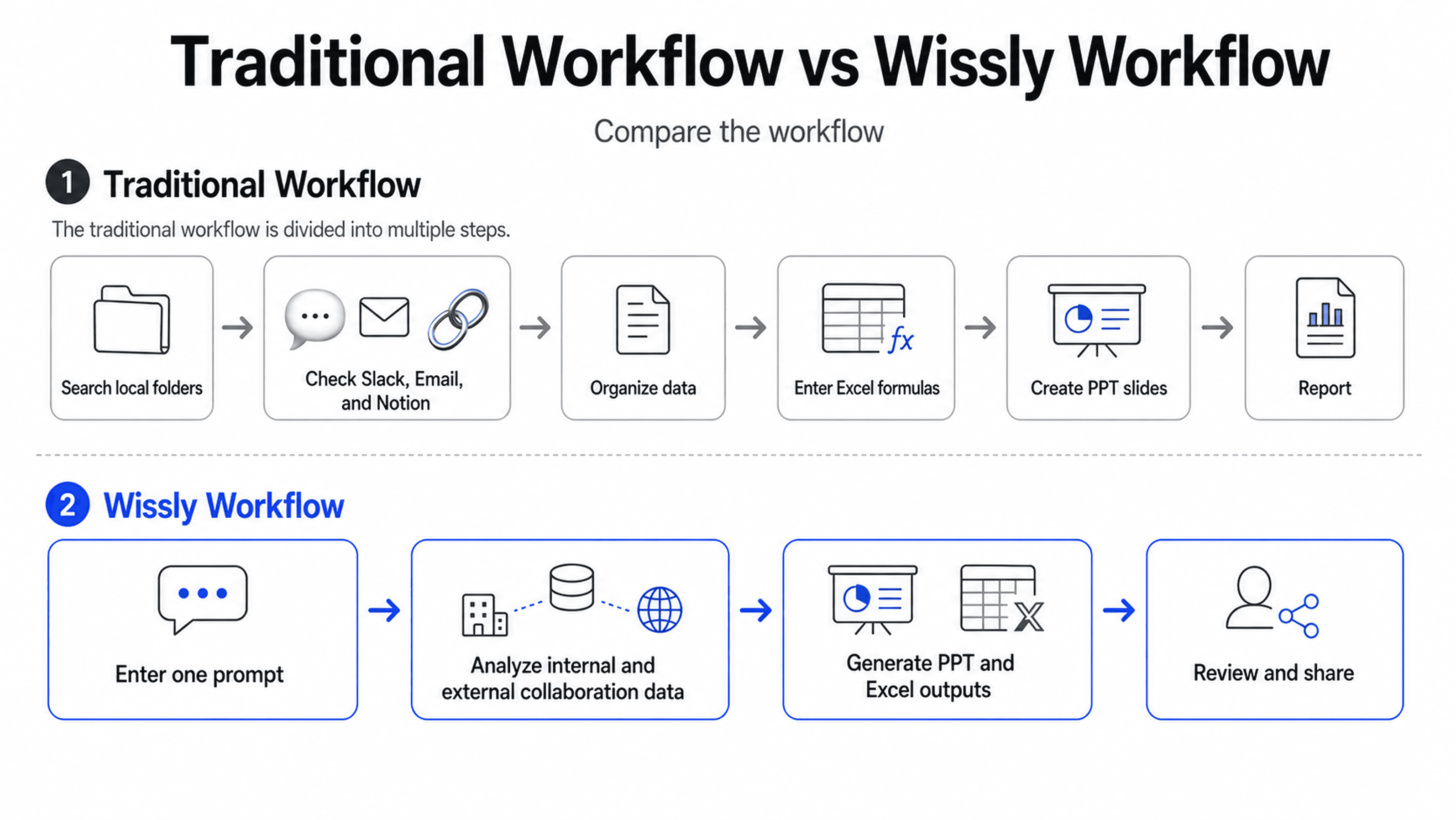
Wissly helps organizations bring approved local and cloud-based data sources into one searchable business context.
2-1. Local Folders, Shared Drives, and NAS
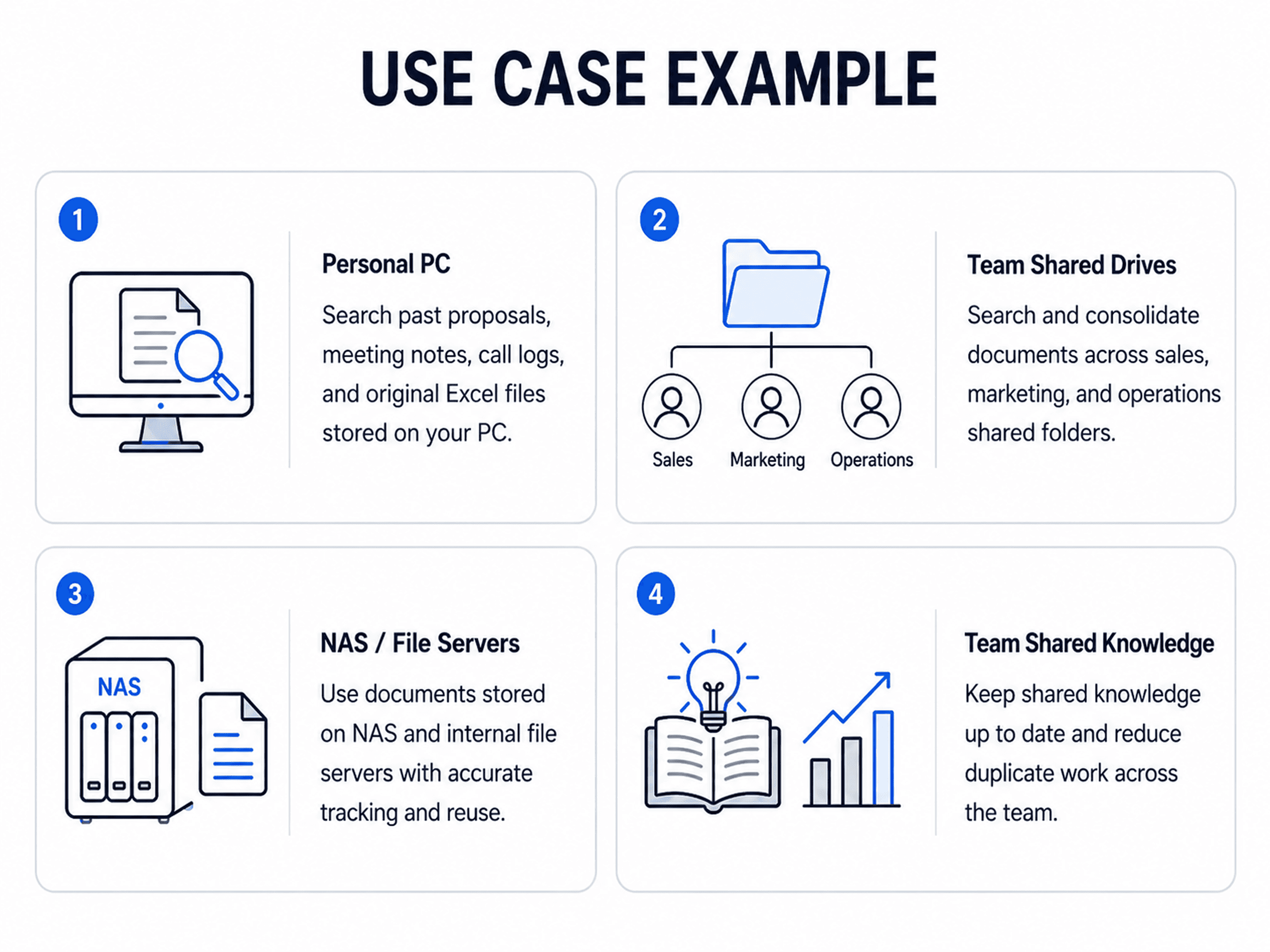
Important business knowledge often remains in local folders, team drives, NAS environments, and internal file servers.
Wissly can help teams search approved files such as proposals, meeting notes, PDFs, PowerPoint decks, Excel workbooks, and internal reports without repeatedly checking separate storage locations.
2-2. Slack, Notion, and Email
Business context does not live in files alone.
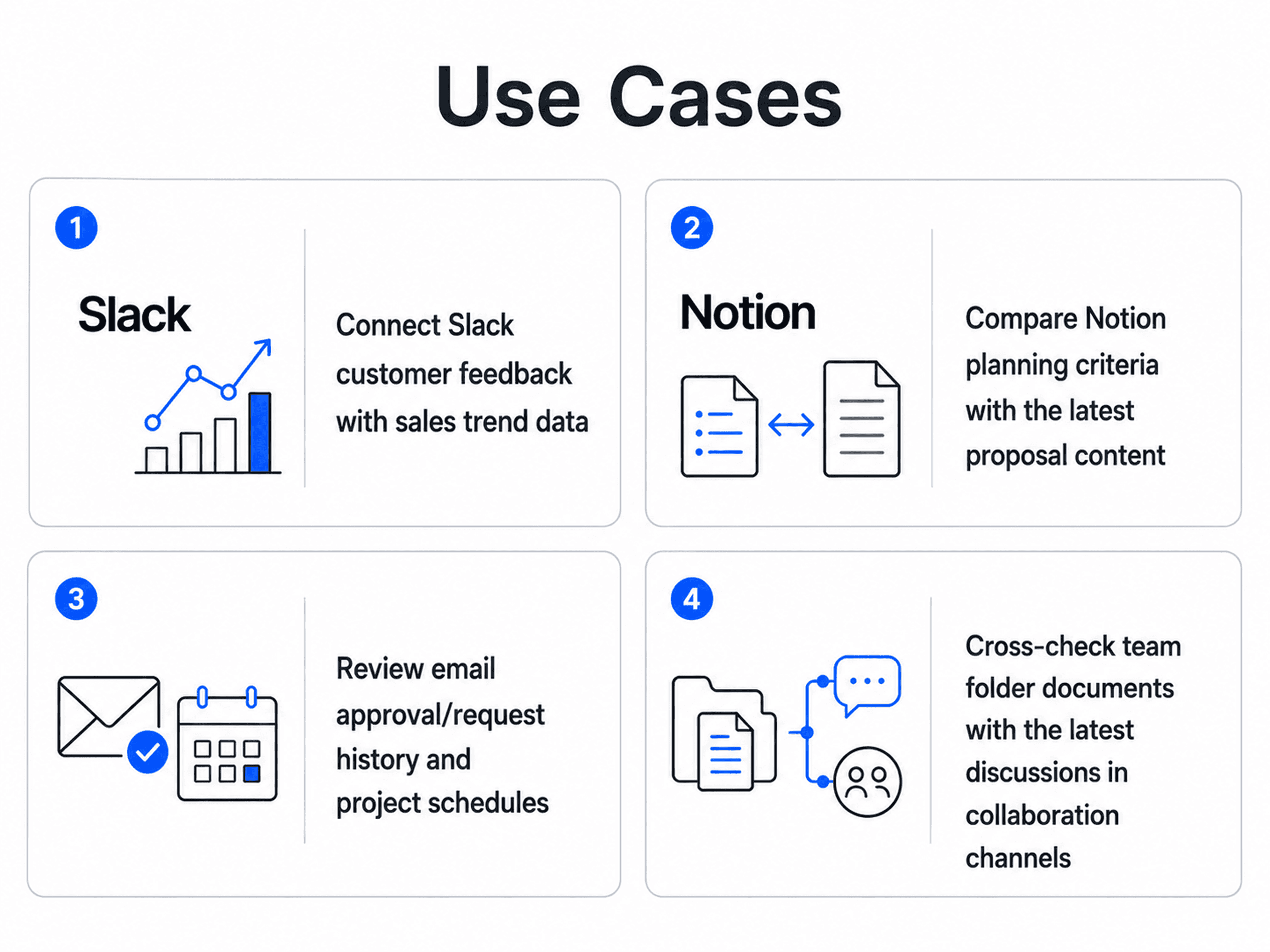
Customer feedback may be in Slack, project documentation in Notion, and approval history in email. Wissly helps connect these sources so teams can review relevant documents, conversations, and project knowledge together.
2-3. One Prompt, Connected Context
A user can ask a single question across approved sources instead of manually searching every system.
For example:
“Find the latest sales proposal in our local team folder, compare it with customer feedback in Slack, and check whether it matches the product requirements in Notion.”
Enterprise AI search should do more than retrieve information.
Once the relevant files, messages, and project documents are found, Wissly can help turn that context into review-ready business outputs.
**PowerPoint Drafts
**Generate presentation structures, key messages, and slide-level draft content from connected documents, meeting notes, and performance data.
**Excel Reports and Summary Sheets
**Extract relevant information from source files and organize key metrics into structured Excel summaries for analysis and reporting.
**Executive Summaries
**Bring together qualitative feedback and quantitative data into a concise summary of key findings, risks, and next actions.
Output formats, templates, generation scope, and processing time may vary based on connected systems, data volume, permissions, and organizational configuration.
A user can ask:
“Analyze Q3 sales performance from the Excel file in our local team folder. Compare it with customer feedback in Slack #client-retention, review the project context in Notion, and prepare a five-slide presentation draft with an Excel summary of key metrics.”
Wissly can help retrieve the relevant data, compare structured and unstructured information, and prepare materials for review.
Possible outputs include:
-
An Excel summary with selected metrics and comparison tables
-
A PowerPoint draft covering performance trends, customer feedback, and next actions
-
An executive summary that combines data, discussions, and decision context
The final output remains subject to team review, so business owners retain control over conclusions, reporting format, and distribution.
[See What Wissly Can Automate in Your Workflow →]
Connecting business knowledge requires clear controls over access and deployment.
**Permissions Aligned with Your Organization
**Wissly can be configured around approved data sources and organizational access policies, so users only work with information they are authorized to access.
**Support for Sensitive Business Environments
**For organizations handling confidential documents, financial data, or internal intellectual property, connector and deployment architecture can be reviewed based on existing security requirements.
**On-Premise and Hybrid Considerations
**Organizations with restricted networks or specific infrastructure requirements can evaluate on-premise, private cloud, hybrid, or isolated deployment approaches during technical scoping.
[Discuss Security, Access Controls, and Deployment Options →]
[Insert: Permissions, Security, and Deployment Architecture Image]
-
How can I search across local drives, Notion, and Slack simultaneously with AI?
-
Wissly connects approved local and cloud-based data sources into a unified AI search workflow. Once access permissions and integrations are configured, users can search across accessible folders, documents, chats, and knowledge pages through a single natural-language prompt.
-
Can Wissly generate Excel reports and PowerPoint slides from siloed files?
-
Wissly can help generate review-ready Excel summaries, PowerPoint drafts, and executive report structures based on connected business information. The available output depends on the source data, templates, connected systems, and organizational configuration.
-
Can Wissly support on-premise or hybrid deployment requirements?
-
Deployment options can be reviewed based on your infrastructure, network constraints, security policy, and technical requirements. On-premise, private cloud, hybrid, and isolated approaches may be considered during a technical discovery or proof-of-concept process.
Your organization already has valuable knowledge. It is simply distributed across local folders, shared drives, NAS environments, Slack conversations, Notion pages, emails, spreadsheets, and project documents.
Wissly helps unify approved business knowledge into one enterprise AI workflow-so teams can search, analyze, and create review-ready outputs without rebuilding everything manually.
[Request a Free Workflow Audit →]
[[Apply for a Guided Technical PoC →]
](/en)Related Articles
-
"Where Is Last Quarter's Campaign Report?"
-
"Did the PTO Policy Change Again?"
-
"Are These ERP Revenue Numbers Accurate?"
-
"Has Anyone Solved This Error Before?"