
AI Workspace Search Across Documents, Email, SaaS Tools, and ERP
Search documents, email, SaaS tools, cloud storage, and ERP data from one AI workspace. Get permission-aware, source-linked answers without replacing existing systems.

Your company’s most important information is already there. It is just spread across too many places.
Project plans live in Notion. Client approvals sit in email. Contracts are stored in Google Drive or SharePoint. Tasks and conversations move through tools like Slack, Jira, and Salesforce. Financial records remain locked inside ERP systems.
AI Workspace Search connects these systems into one searchable, permission-aware workspace. Instead of switching between applications, employees ask a question in plain language and receive a consolidated answer with direct links to the original sources.
With AI Workspace Search, your team can:
-
Search documents, email, SaaS tools, and ERP data in one place
-
Ask questions in natural language instead of repeating keyword searches
-
Receive source-linked answers for faster verification
-
Reduce app switching and manual information gathering
-
Preserve existing permissions across connected systems
[Book a Free Workplace Data Diagnostic]
1. The Problem: Important Context Is Fragmented
Modern teams do not lack information. They lack a fast way to access it.
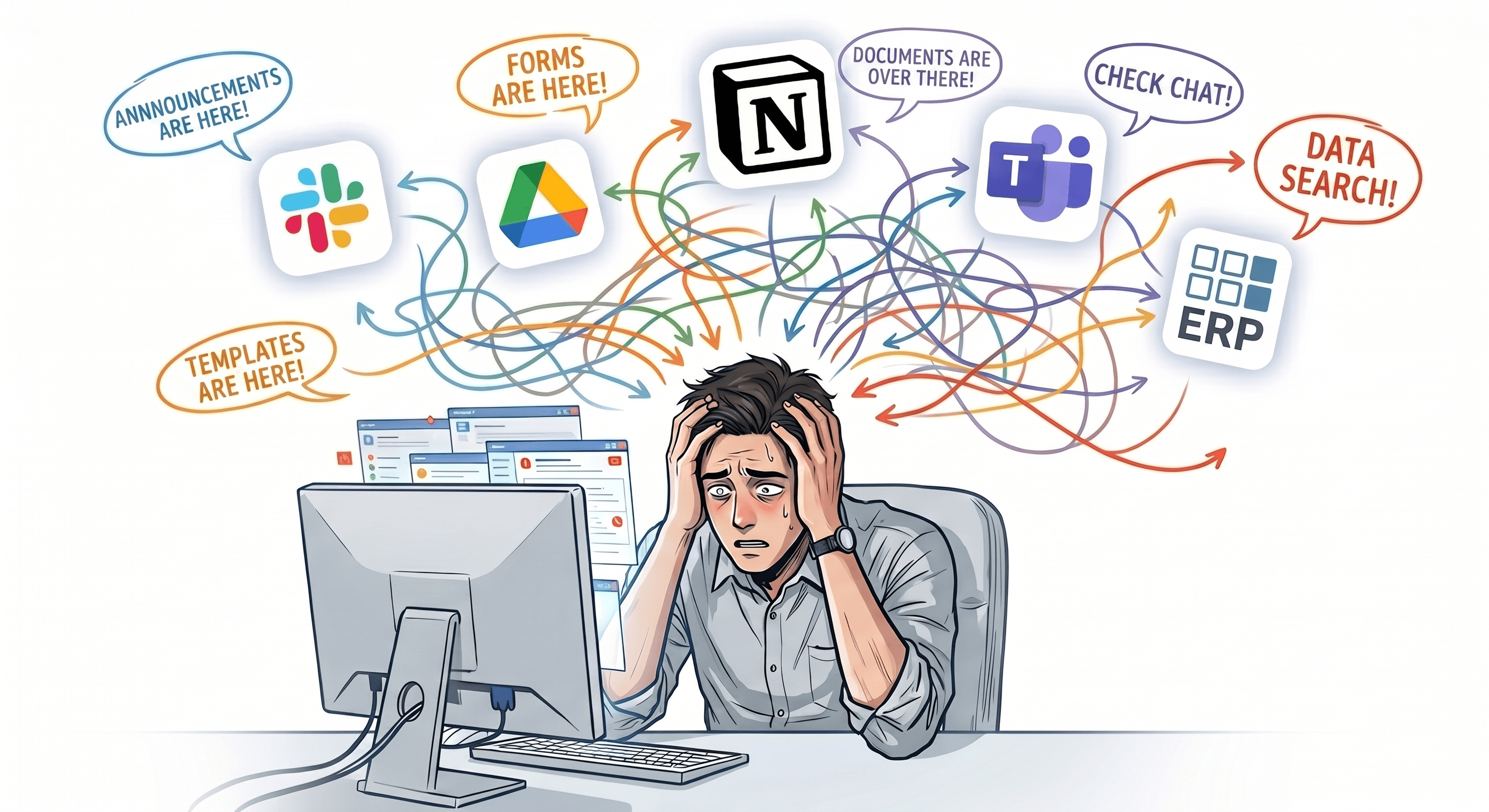
A simple question such as, “What is the latest status of Project A?” may require someone to check:
-
Meeting notes in Notion or Confluence
-
Client feedback in Gmail or Outlook
-
Project tasks in Jira, Asana, or Linear
-
Contracts in Google Drive, Dropbox, or SharePoint
-
Customer context in Salesforce or HubSpot
-
Vendor invoices and payment status in an ERP
This is not just inconvenient. It slows decisions, creates duplicate work, and makes teams dependent on people who know exactly where information is stored.
2. The Solution: One AI Workspace for Every Connected Source
AI Workspace Search does not require you to replace your existing tools.
Instead, it adds an intelligent search layer across the systems your teams already rely on. Employees can use one interface to search and ask questions across documents, emails, SaaS applications, cloud storage, and structured business systems.
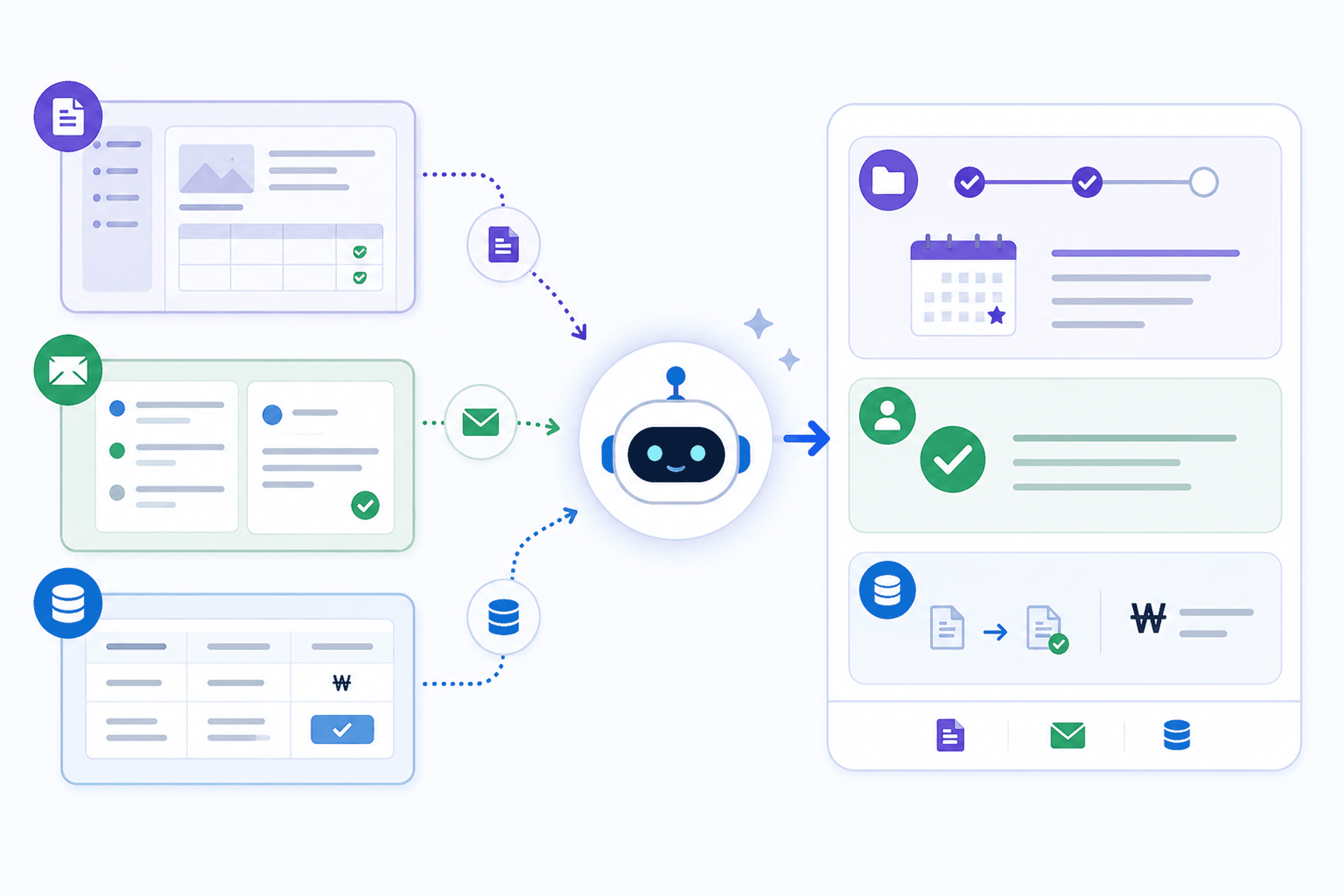
For example:
“Give me the latest Project A update, including client feedback, open tasks, and vendor settlement status.”
The AI can retrieve relevant information from connected sources and return a clear, consolidated response.
Rather than opening five different applications, employees can quickly see the current project context and review the original source materials when needed.
3. From Keyword Search to Business Answers
Traditional search returns files, email threads, and records that contain a specific word.
AI Workspace Search is designed to answer the underlying business question.
<table><tbody><tr><td><p dir="ltr"><strong>Traditional Search</strong></p></td><td><p dir="ltr"><strong>AI Workspace Search</strong></p></td></tr><tr><td><p dir="ltr">Search each application separately</p></td><td><p dir="ltr">Search all connected sources from one place</p></td></tr><tr><td><p dir="ltr">Relies mainly on keywords</p></td><td><p dir="ltr">Understands natural-language questions</p></td></tr><tr><td><p dir="ltr">Returns lists of files and messages</p></td><td><p dir="ltr">Returns contextual summaries with references</p></td></tr><tr><td><p dir="ltr">Requires manual fact-checking across tools</p></td><td><p dir="ltr">Links answers back to source records</p></td></tr><tr><td><p dir="ltr">Creates frequent context switching</p></td><td><p dir="ltr">Reduces unnecessary tool switching</p></td></tr></tbody></table>For example, a search for “vendor payment” may surface invoices in an ERP. An AI workspace can also connect that result with approval emails, purchase orders, related project milestones, and contract terms.
The goal is not only to find information faster. It is to make business context easier to understand.
4. One Question, Multiple Systems
Imagine an employee asks:
“Has the client approved the final scope, and are we ready to pay the vendor?”
A connected AI workspace can bring together:
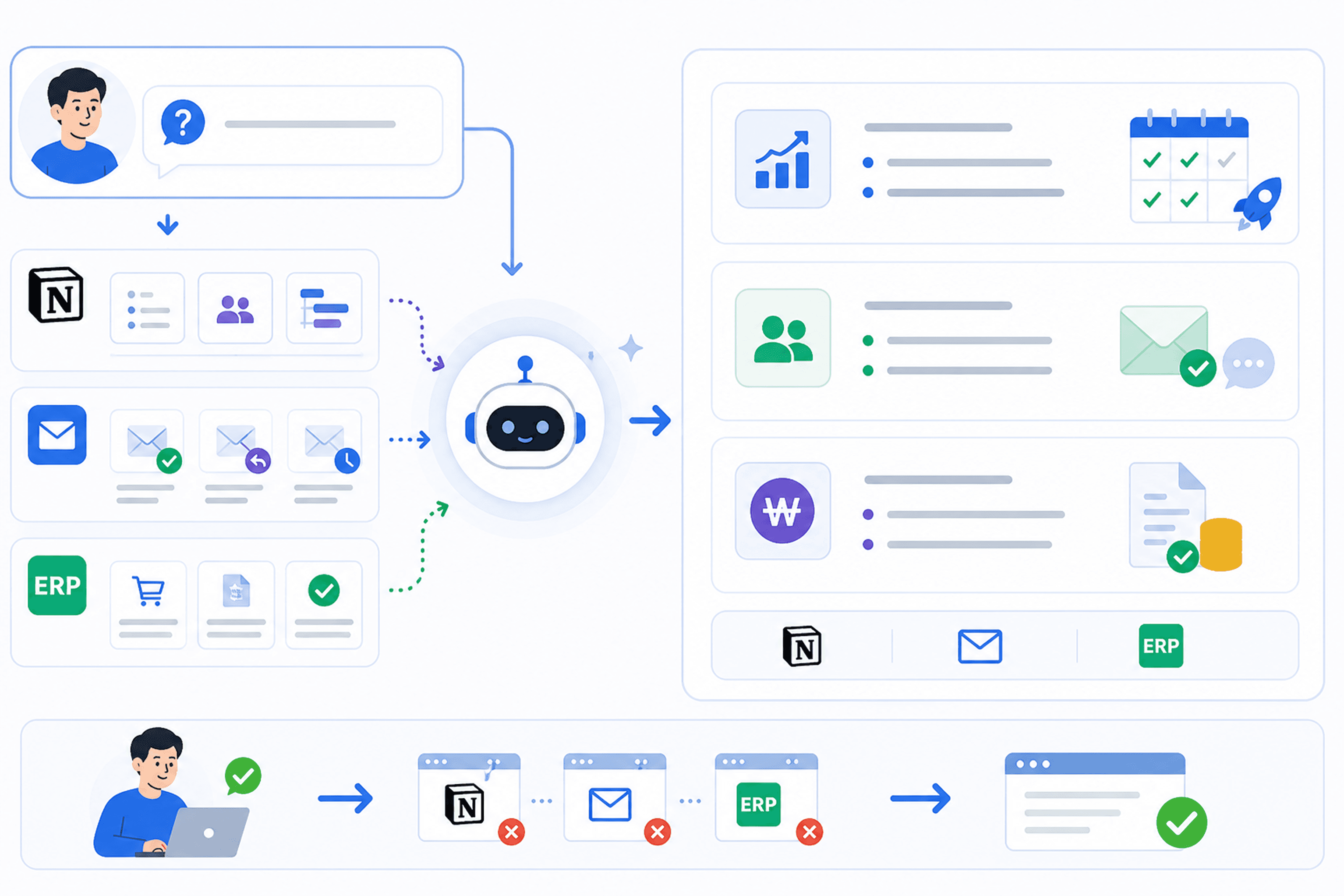
**Project Documentation
**Latest scope, timeline, meeting notes, and delivery milestones.
**Email and Communication Tools
**Client approval messages, stakeholder feedback, and outstanding change requests.
**SaaS Tools
**Open tasks, issue status, customer records, and internal discussions.
**ERP and Finance Systems
**Purchase orders, invoices, approval status, and settlement progress.
The result is one answer, organized around the employee’s actual question, with links back to the relevant documents, messages, and records.
5. Security and Permissions Stay in Place
Enterprise search must not create a new access risk.
AI Workspace Search should respect the access controls already enforced by your connected systems. Employees should only see information they are authorized to access.
That means:
-
HR information remains restricted to HR teams
-
Financial records stay limited to authorized finance users
-
Client contracts follow existing file permissions
-
Project data remains visible only to the relevant teams
Your existing tools remain the source of truth. The AI workspace improves how authorized employees discover and use that information.
6. Is AI Workspace Search Right for Your Team?
AI Workspace Search is especially useful when your organization:
-
Uses multiple document repositories, email platforms, and SaaS tools
-
Relies on ERP, CRM, or other structured business systems
-
Loses time searching past conversations to confirm decisions
-
Has cross-functional teams working across disconnected platforms
-
Wants faster access to internal knowledge without replacing its stack
The more fragmented your data is, the more value a unified search experience can create.
7. Give Your Team One Place to Find the Answers
Your company does not need another tool that creates another silo.
It needs one intelligent workspace that connects the tools it already trusts.
AI Workspace Search helps employees retrieve context across documents, email, SaaS tools, cloud storage, CRM, and ERP systems-without the constant switching, manual searching, and fragmented workflows.
[Get a Free Workplace Data Diagnostic]
We will review your current tool stack, identify search bottlenecks, and show where a permission-aware AI workspace can reduce friction across your organization.
Related Articles
-
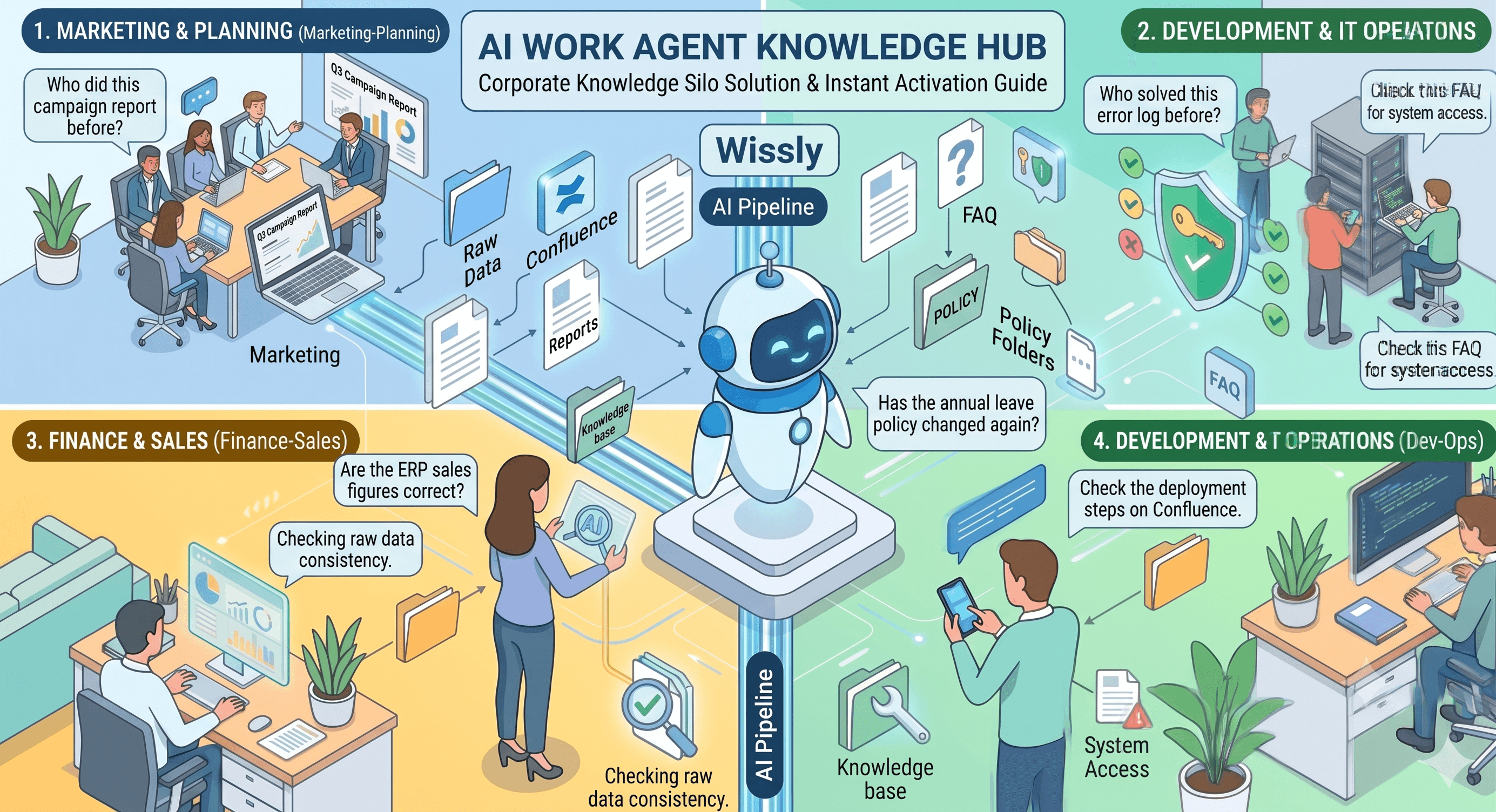
"Where Is Last Quarter's Campaign Report?"
-
"Did the PTO Policy Change Again?"
-
"Are These ERP Revenue Numbers Accurate?"
-
"Has Anyone Solved This Error Before?"