
Insight
When OCR Becomes the Bottleneck in Document Automationdd
Dec 22, 2025
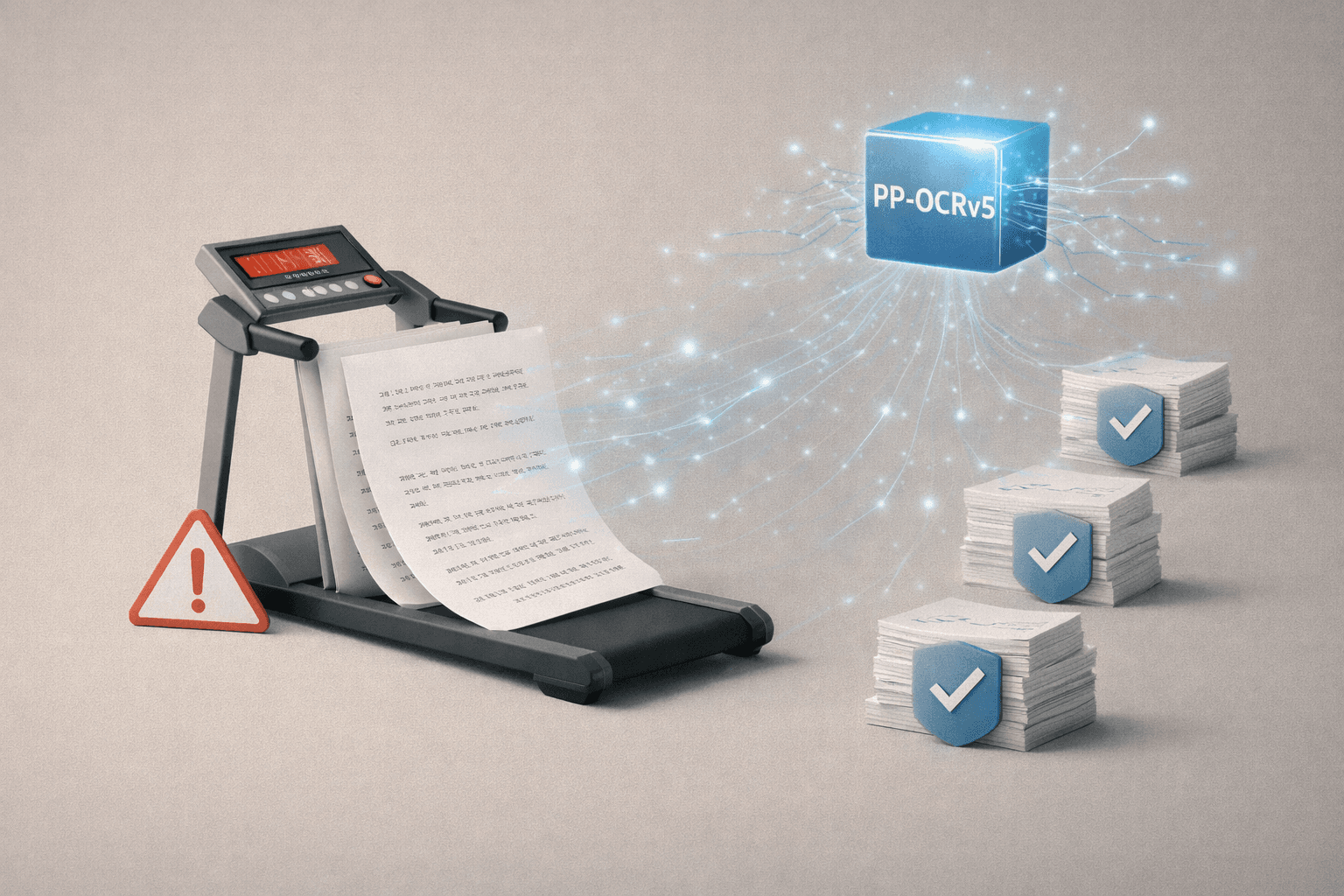


How we moved from EasyOCR to PP-OCRv5—and fixed the remaining gaps with targeted fine-tuning
Document automation typically follows a familiar pipeline:
extraction → structuring → validation → integration into business systems.
But when OCR—the very first step in that pipeline—starts to break down, even the most sophisticated downstream systems can’t perform as expected.
This is exactly what the StepHow engineering team experienced.
The problem wasn’t that OCR results were slightly inaccurate. They were inaccurate in ways that directly impacted business workflows, and as processing times increased, the entire document pipeline began to stall.
In this post, we’ll share how we addressed that bottleneck by moving to a PP-OCRv5-based stack—and how we closed the remaining gaps with targeted fine-tuning, rather than large-scale retraining.
All metrics and results below are based on StepHow’s internal documents and environments, not public benchmarks.
When Automation Slows Down—and Manual Review Creeps Back In
In Korean-language OCR, problems tend to surface in two main ways.
1. Trust breaks down
When 1,500,000 is read as 1,500,00O, or
010-7104-8028 becomes 0l0-7l04-8028 (confusion between 0/O and 1/I/l),
the extracted text can no longer be used as-is.
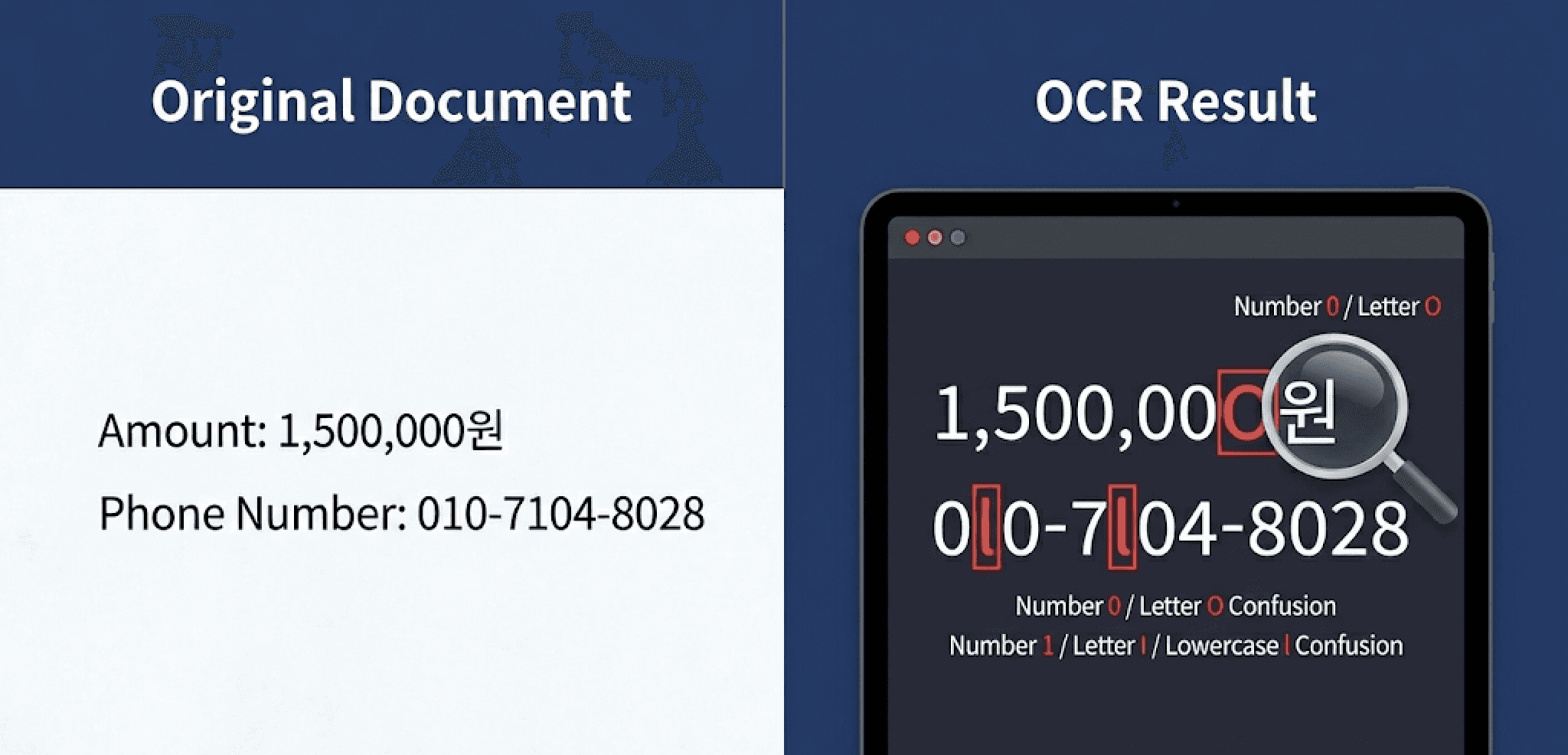
For critical fields—amounts, account numbers, phone numbers, document IDs, URLs—a single character error is enough to invalidate the result. At that point, manual review becomes unavoidable. This is how automation ends up technically in place, but still dependent on human intervention.
2. Throughput slows down
As processing time increases, document pipelines become more conservative.
Teams add checkpoints, re-run failed jobs, and before long, documents start piling up. Instead of accelerating work, automation becomes something that needs to be managed.
Seeing both of these issues at once made it clear: OCR was the real bottleneck in the system.
Our Approach: Not “What’s Best,” but “What Fails Less on Our Documents”
There’s no shortage of opinions about which OCR engine is “best.”
But what really matters is how an engine behaves on the documents you actually process.
The StepHow engineering team fixed preprocessing, page splitting, concurrency, and post-processing rules—then swapped out only the OCR engine for internal comparison.
The evaluation criteria were straightforward:
Does character confusion in Korean, numbers, and Latin text decrease meaningfully?
Does batch processing time improve?
Can it run stably on CPU-only environments?
When edge cases appear, is there a clear way to address them?
Under these conditions, a PP-OCRv5-based stack stood out as the most viable direction.
Results: Faster Processing, Fewer Errors (Internal Measurements)
After switching to PP-OCRv5, the most important change wasn’t just speed—it was how much less human intervention was required.
Shorter processing times meant documents no longer sat in queues.
Results were available sooner, failures could be retried immediately, and the overall flow stayed intact.
At the same time, common misrecognitions dropped significantly.
Fields where a single wrong character causes downstream failure—amounts, phone numbers, document IDs—required far less manual checking.
Based on internal measurements at StepHow:
Processing time: ~50 minutes → ~10 minutes for 100 PDF pages
Recognition errors: Significant reduction in critical-field character confusion
Memory usage: Improved stability under higher concurrency on the same server
In short, the biggest gain wasn’t a higher accuracy score—it was that more documents could safely move to the next stage without human review.
One Problem That Remained: Table Cells with Colored Backgrounds
Most issues were resolved—but one stubborn edge case remained.
Text inside table cells with light-colored backgrounds was sometimes missing entirely.
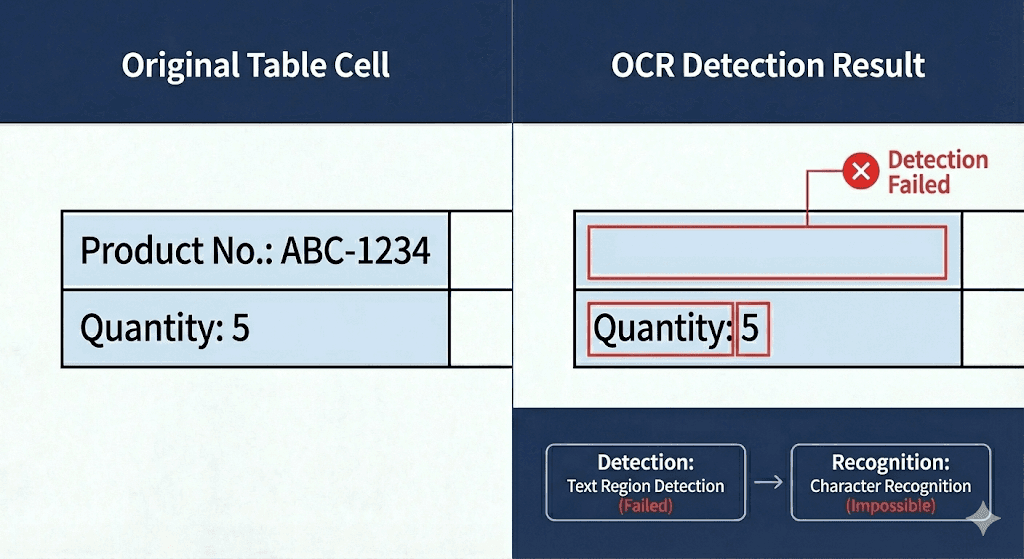
This wasn’t a misrecognition problem. The text wasn’t being read incorrectly—it wasn’t being detected at all.
OCR generally works in two stages:
Detection: identifying where text exists in an image
Recognition: converting detected regions into characters
In this case, the failure happened during detection, not recognition.
When background colors reduce contrast, the model may not confidently classify a region as “text.” If detection fails, recognition never even gets a chance—and the result shows up as missing text.
This also explains why standard preprocessing—brightness adjustment, contrast enhancement, grayscale conversion—helped in some cases but never fully solved the issue.
The Fix: Targeted Fine-Tuning, Not Full Retraining
At this point, the StepHow team changed strategy.
Instead of retraining everything, we focused on only the patterns that kept failing.
The approach was simple:
Define the failure pattern as data
Collect representative samples
Fine-tune the model so those regions are recognized as valid text areas
This didn’t require a massive dataset.
In practice, eliminating recurring, real-world failure cases mattered far more than expanding general coverage.
After fine-tuning, text omissions in colored table cells dropped sharply, and stability for structured, template-based documents improved noticeably.
Takeaway: OCR Is Not Just Text Extraction—It’s Trust Engineering
The key lesson from this effort is straightforward.
OCR isn’t just about reading characters.
It defines how much the rest of your automation pipeline can be trusted.
Treat OCR as a “run once and use the output” step, and manual review will always remain.
Treat OCR as a designed quality gate, and you can systematically identify failure patterns—and fix only what’s necessary.
By moving to PP-OCRv5 and closing the remaining gaps with targeted fine-tuning, the StepHow engineering team significantly reduced the number of documents requiring manual review.
In document automation, the true bottleneck is often hidden at the very beginning.
This experience reinforced that solving it isn’t just about choosing a better OCR engine—it’s about how you design for failure, iteration, and trust in real-world documents.
Anbefalet indhold